The brief
You launch, people visit, and nobody signs up. Most of the time, the page just doesn’t say what you think it says. You can’t see that, because you already know what you meant.
So I made suko.sh. It shows the top of your page to 3 AI visitors for five seconds, then asks them what it is, who it’s for and what it costs. Their answers go next to yours, and where 2 or more of them get the same words wrong, those words get pinned.
The AI part came together quickly. The hard part was the screen: a result from simulated visitors has to feel specific, honest and worth $5, or nobody will trust it.
Two questions while they look
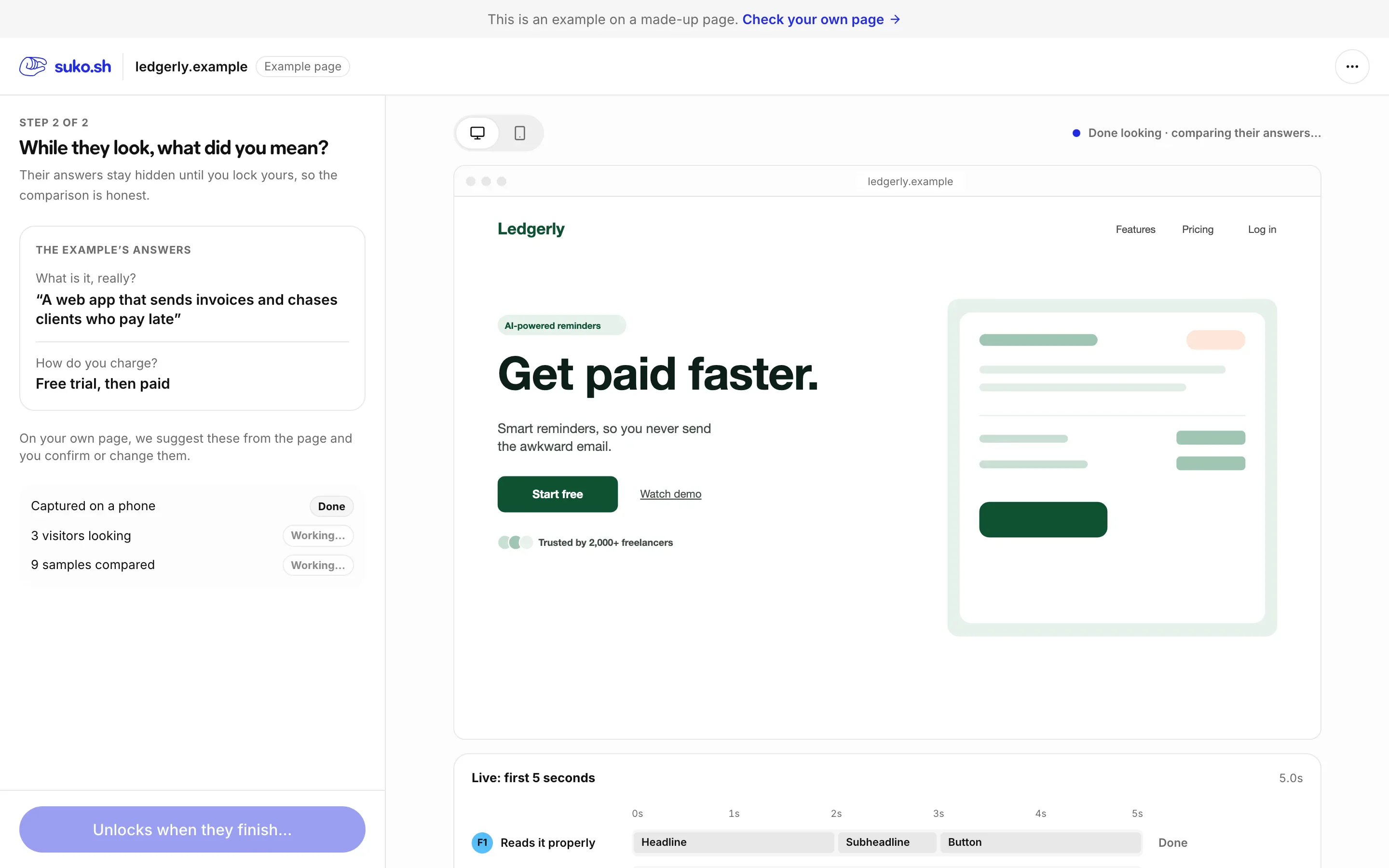
I didn’t want a long form followed by a loading bar. Step 1 only asks who the page should win over, which is enough to build the visitors, so they start reading straight away. Step 2 asks what the product really is and how you charge, and you answer it while they look. The wait becomes your writing time.
Their answers stay hidden until you lock yours. If you could peek, you’d write your answers to match theirs, and the whole comparison would mean nothing.
Watching them read
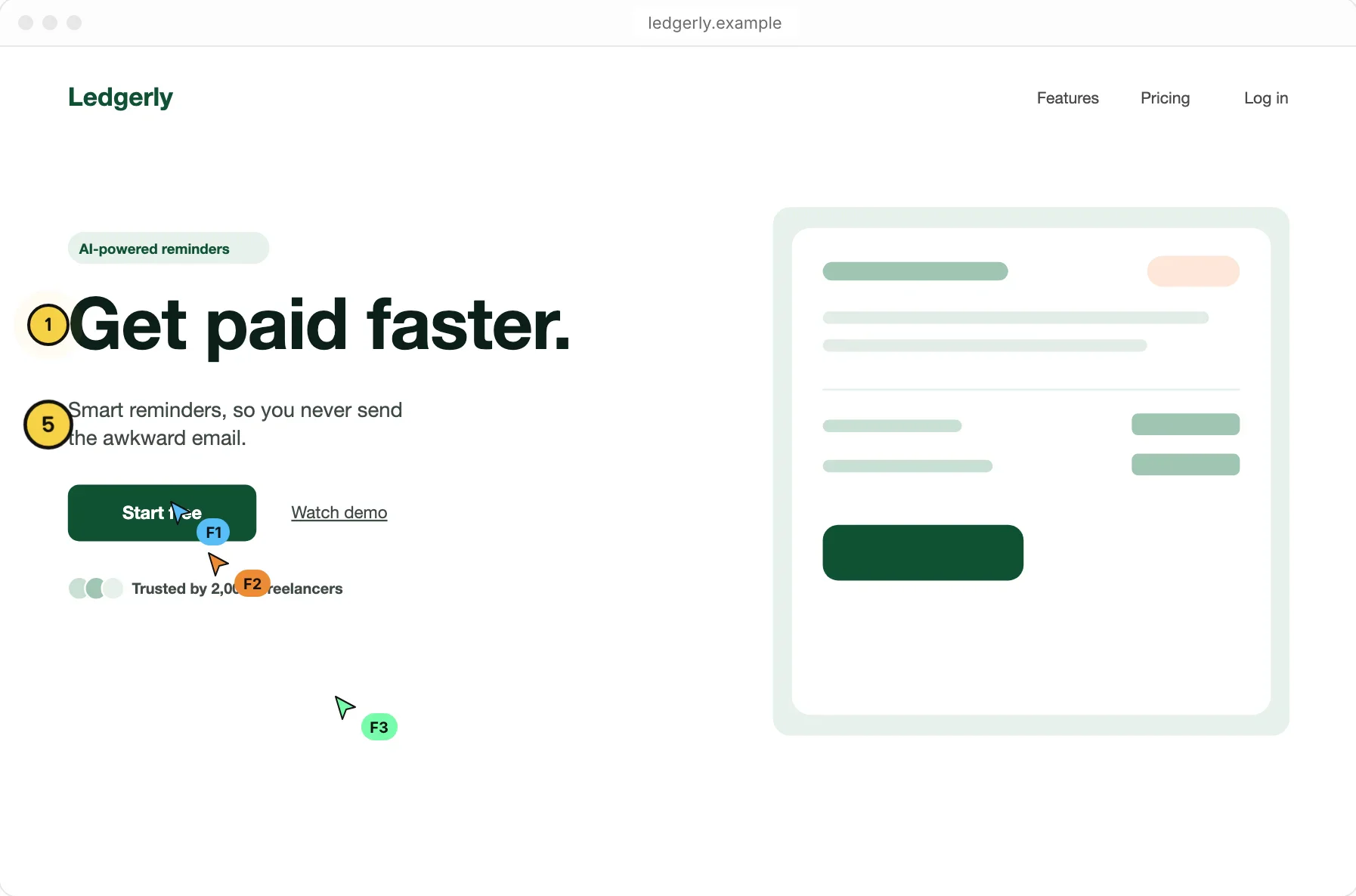
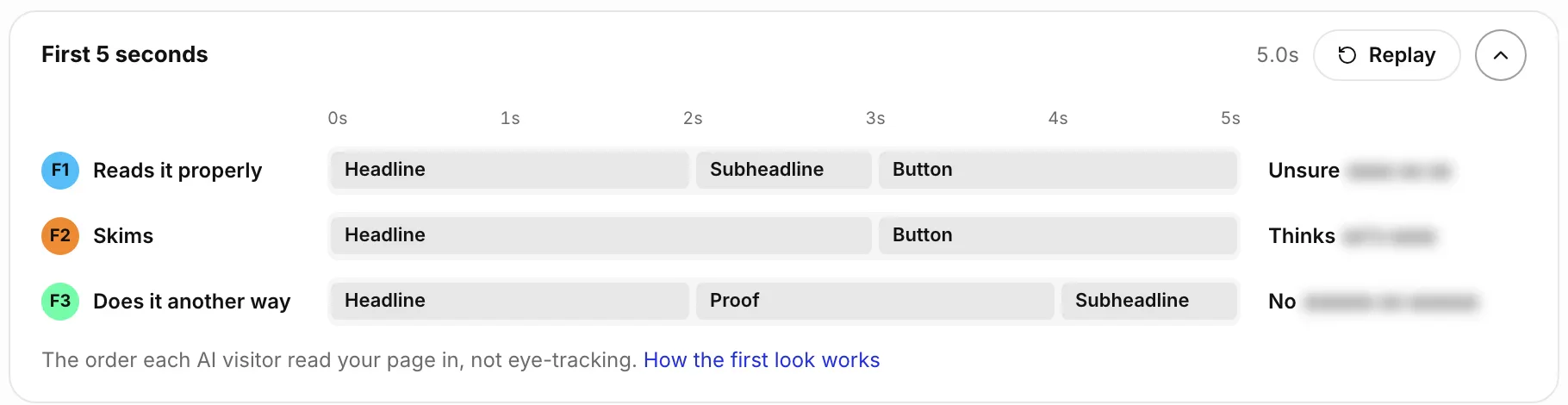
A list of findings is easy to doubt. So before the results, you watch the visitors read. Each cursor moves across your page in the order that visitor read it, and pins drop where they stumble. The timeline below shows the same thing as bars.
It’s labelled plainly as “AI reading order, not eye-tracking”. It would have been easy to let people assume otherwise, but a sceptical founder would catch it straight away.
The results screen
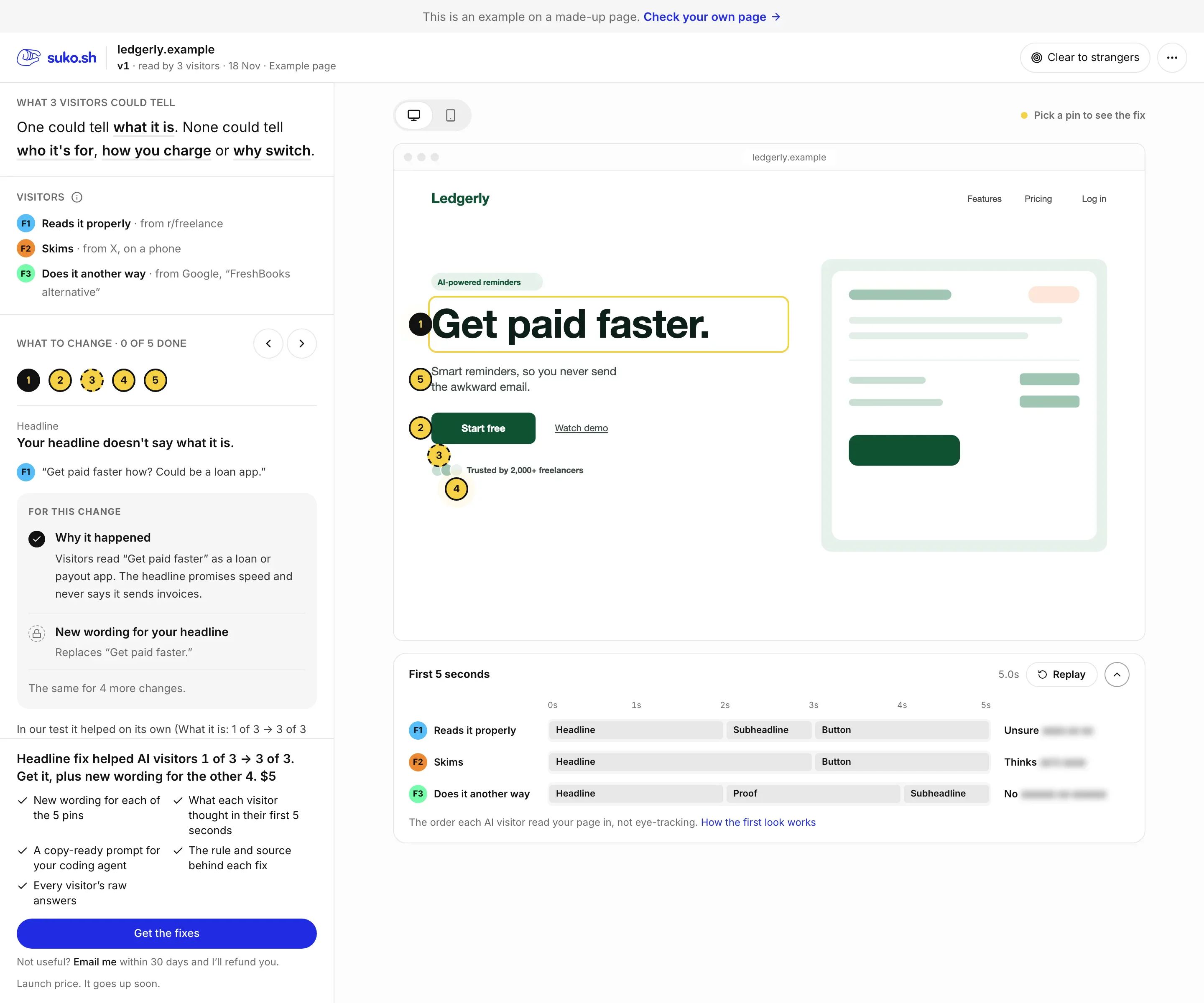
Your page sits on the right, with numbered pins on the exact words. The left panel opens with one sentence: “One could tell what it is. None could tell who it’s for, how you charge or why switch.” No generic AI review could write that line. It only exists because you gave your own answers.
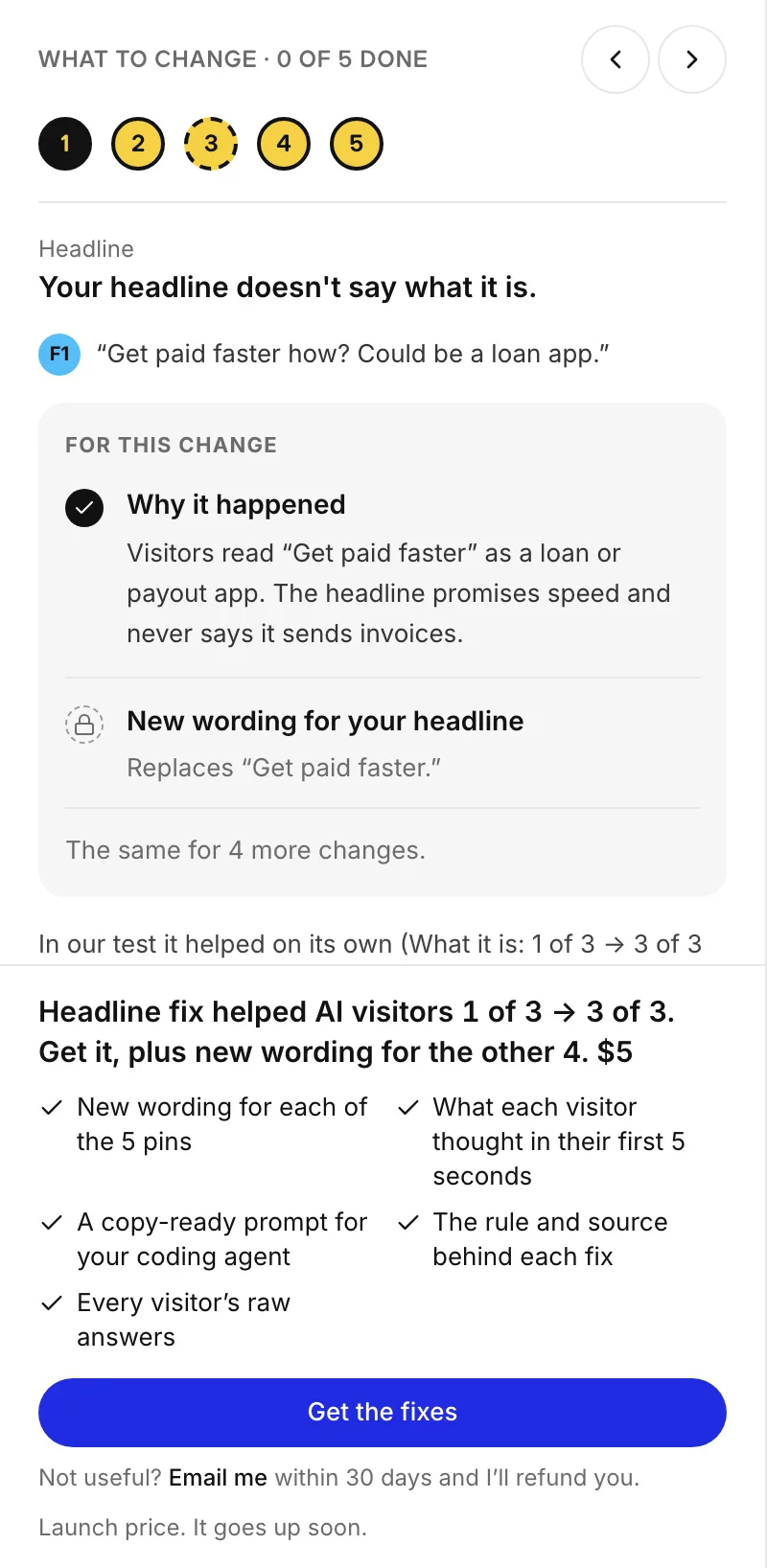
Pins are numbered by what stops a visitor first, so 1 is the one to fix first. A dashed pin means something is missing from the page. Each change quotes what a visitor actually said (“Get paid faster how? Could be a loan app.”), then why it happened, then the new wording.
The first version had an “Unlock” in four places, each saying something different. Now there’s one ask, in a footer, and it leads with proof from your own page. Before you pay, I test the top fix on a copy of your page (“1 of 3 → 3 of 3”). The fixes are also written before you pay, so the footer says exactly how many you’ll get. If there are none, the check unlocks for free, because there’s nothing to sell.
I also had a 3-page pass for $12, and cut it on launch day. Next to $5, it read as two prices for the same thing.
When things go wrong
Some of the screens I spent the most time on are ones I hope most people never see. If a capture is slow, a strip says “Keep filling in your answers; nothing is lost”, and the form stays put. If the AI fails partway, the check is paused, not broken: “Your page is fine.” Resuming doesn’t count as another check. My first version blamed the founder’s page instead, which was the worst thing it could have said.
Each of these went through 2 to 4 rounds of prototypes side by side. I wrote down what I picked and what I rejected, so I didn’t have the same argument with myself twice.
Clarity and trust
Every visitor gets two kinds of questions. Clarity questions have a right answer: what is this, who is it for, what does it cost, what happens when I click. Your answers are the key, so a visitor is either right or wrong, not just unimpressed. Trust questions ask what they don’t believe, what proof is missing and what worries them. Any doubt counts, but it only becomes a pin if it quotes your page.
AI visitors are too agreeable, care about everything equally and answer too alike, so I never ask whether they like the page or would buy. Each visitor answers 3 times, and a stumble only counts if it shows up in at least 2 runs and for 2 or more visitors. The method page goes into the research behind each rule.
Outcome
suko.sh went from first commit on 18 November to a paid launch on 20 November. Checks are free, 3 a day with no signup, and fixes are $5 a page. You can try the example without pasting a URL.